
From the clock-in to a finished timesheet.
Evidence collects clock-ins and clock-outs automatically, matches them to your shifts and company rules, and surfaces only what needs a human decision. At the end of the month you get a closed timesheet, ready for payroll.
The demo runs on test data · we email the username, password and PIN after your request
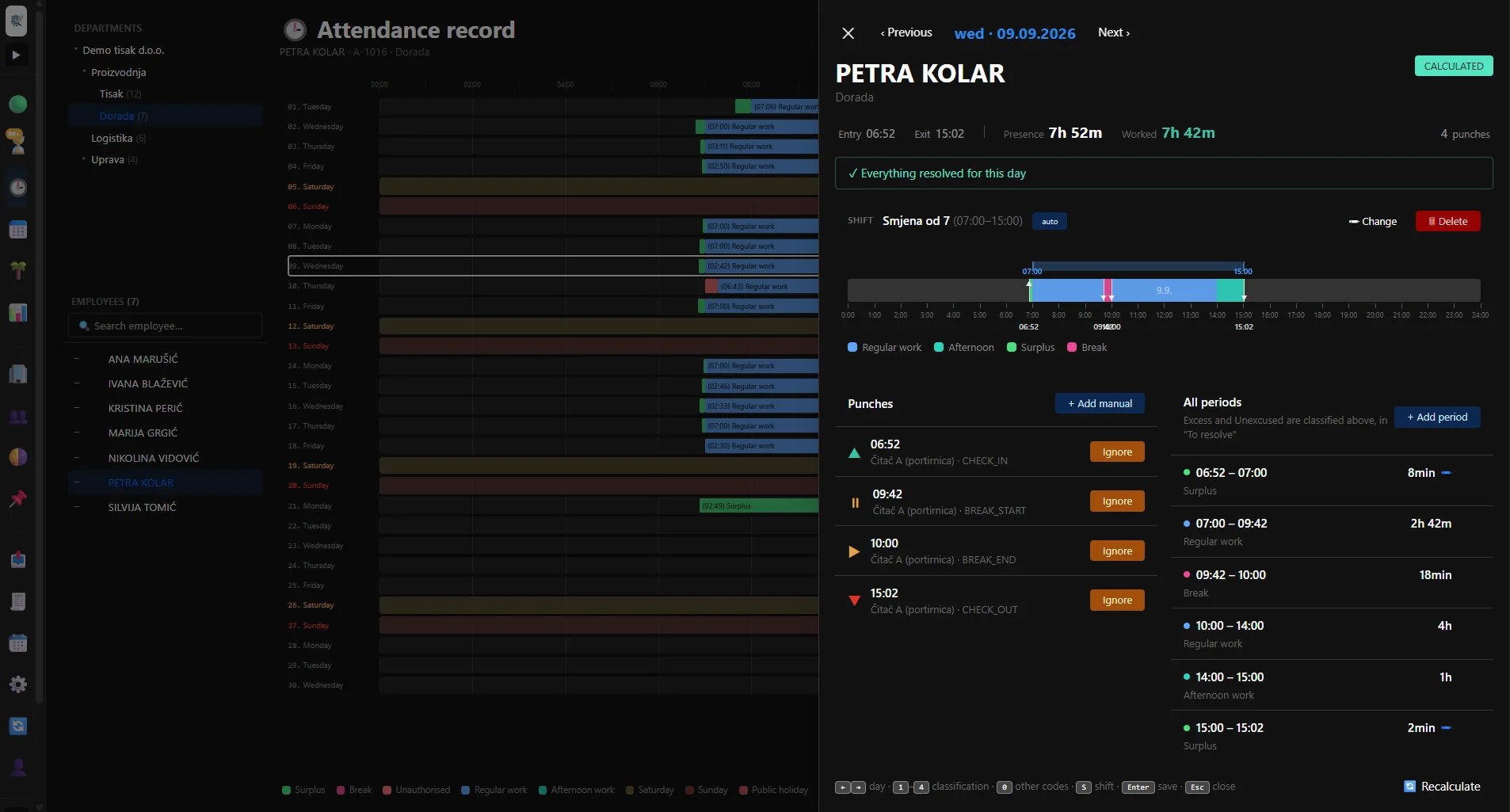
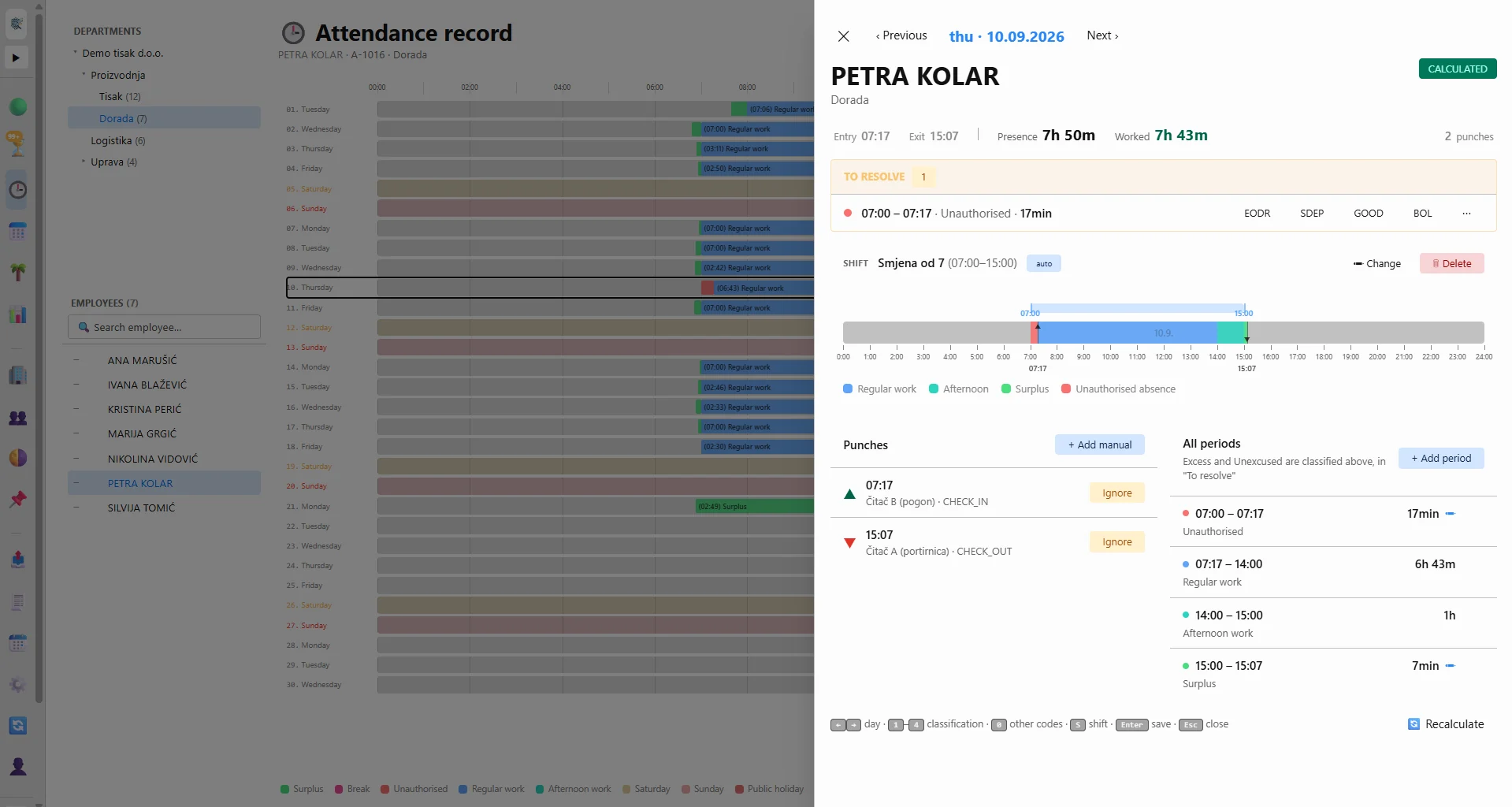
Clock in and out
Employees identify themselves at the reader with a fingerprint, a card or a PIN. Evidence picks up new events automatically.
›Shift and calculation
The system works out which shift and which working day an event belongs to, then calculates hours worked, breaks and deviations.
›Exceptions only
Instead of going through every day and every employee, the timekeeper handles only the records the system has flagged.
›A finished timesheet
Once the review is done the month is locked, and the data is exported to Excel or to the format of your payroll system (Microsoft Dynamics NAV, Point, 4D Wand and others).
›The timesheet ends up in your payroll software
A locked month is exported to a file your accounting department imports directly. Hour codes are mapped to the codes of your system, so a new payroll package usually means a new export profile, not a new application.
Employees clock in. Evidence does the rest.
Evidence connects to Suprema BioStar 2 and collects events from the devices automatically. Employees can identify themselves with a fingerprint, face recognition, a card or a PIN, and data from several devices and locations ends up in a single record.
- 01Several devices and locations consolidated into one system
- 02Clock-ins and clock-outs matched to employees and shifts automatically
- 03Events left behind by a network outage are collected afterwards, without duplicates
- 04Using a different type of device with its own event database? We connect it to Evidence and adapt the application to your needs
No readers? There is manual entry too. Demo coming soon
The same calculation logic for companies without attendance devices: the whole month is generated from the schedule, only the deviations are entered (absences, overtime, no-shows), and the calculation, locking and payroll export work exactly as they do with readers.
Evidence understands real shift work.
It was built for plants running three shifts, 24 hours a day, seven days a week — including nights that cross midnight, weekend and public-holiday work, and rotating schedules. Night shifts, overtime and absences are what turn a simple spreadsheet into hours of manual work; Evidence automates what can be automated and leaves the decision to the user only where one is genuinely needed.
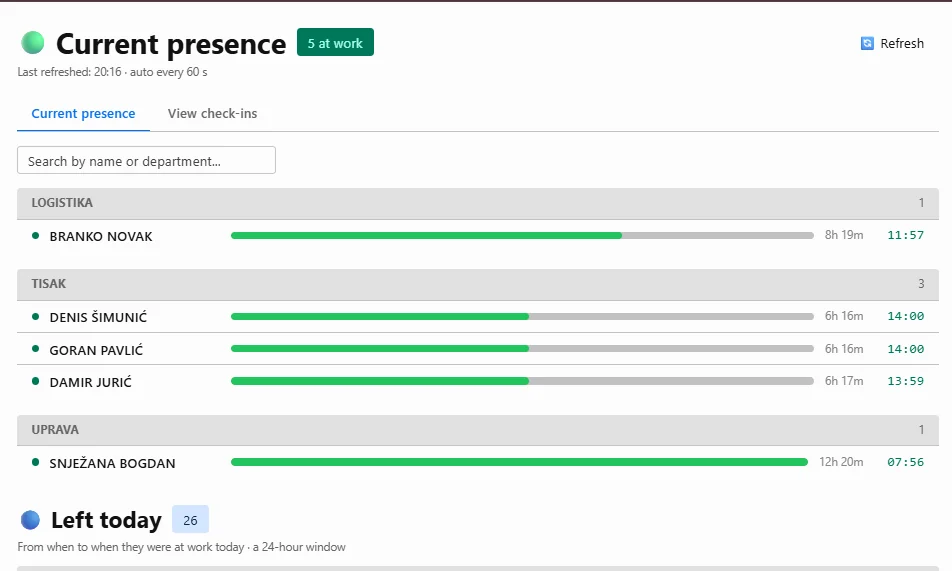
Who is in right now
See at a glance who is at work, when they arrived and who has already left. The gatehouse can be given access to this view only.
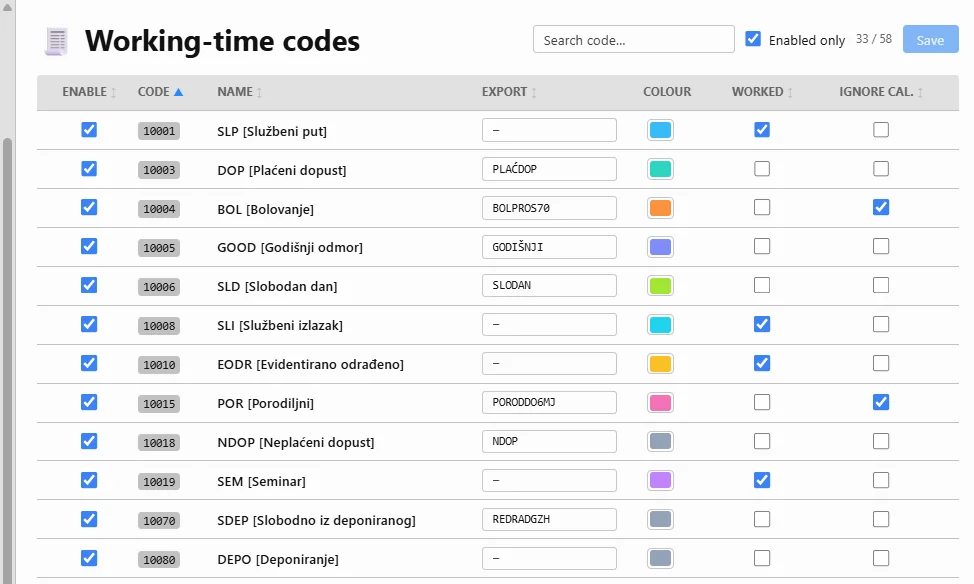
Work hour codes
Define your own hour types, absences, colours and export codes to match the rules of your payroll.
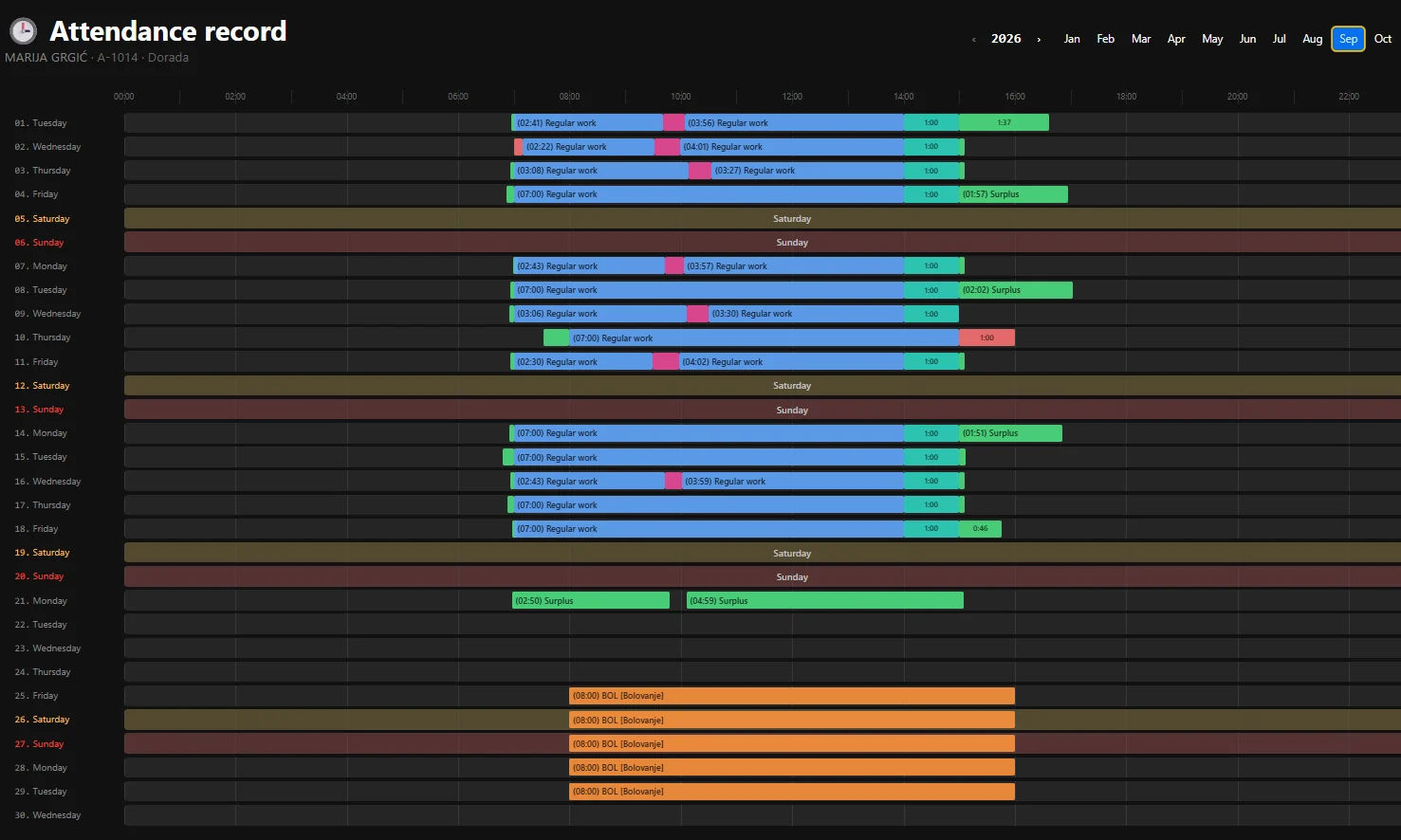
Attendance per employee
A whole month in one place: shifts, clock-ins, clock-outs, absences and calculated hours. Click a day to open the details.
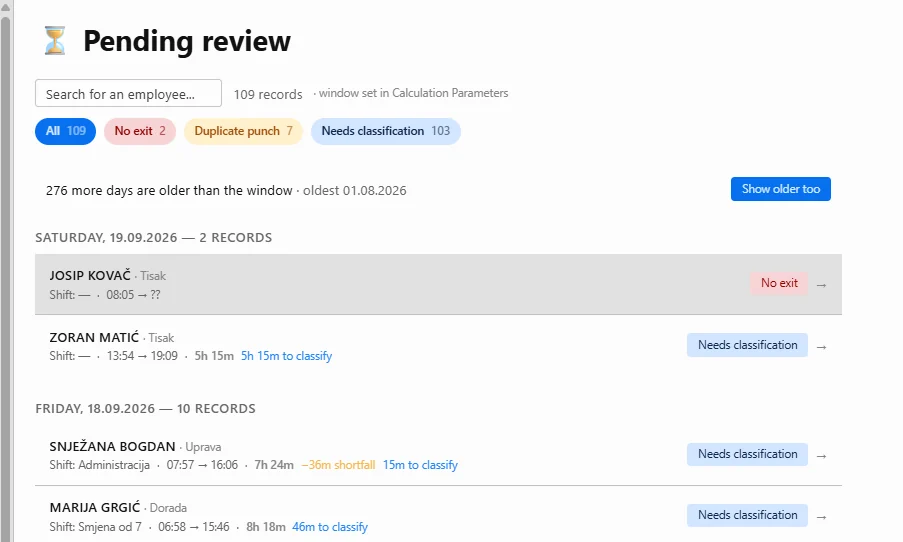
Only what needs attention
Evidence separates out incomplete and unusual records, so the timekeeper does not have to go through hundreds of clean days.
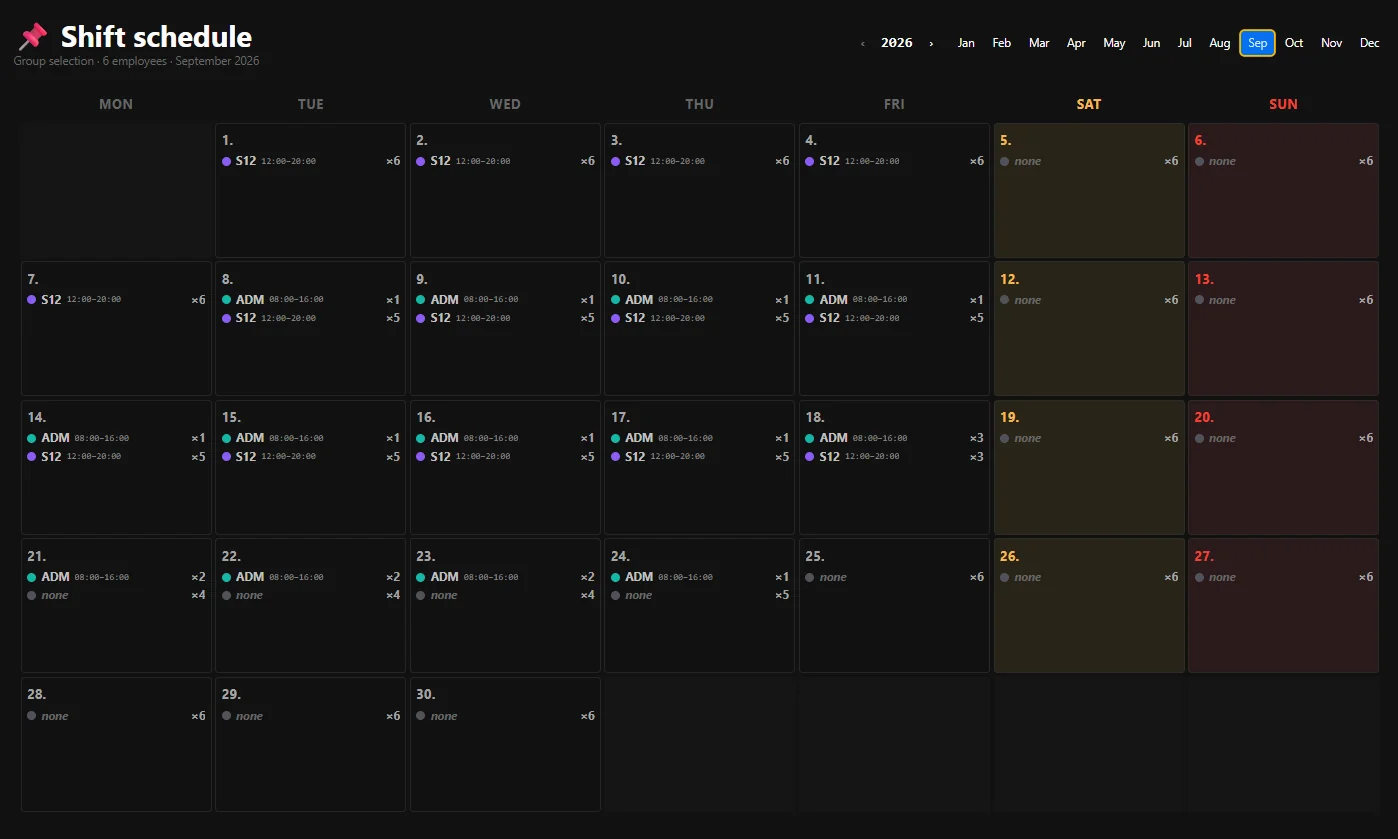
Shift schedule
Planning per employee or department, bulk changes, rotations, night shifts and automatic detection from the clock-in.
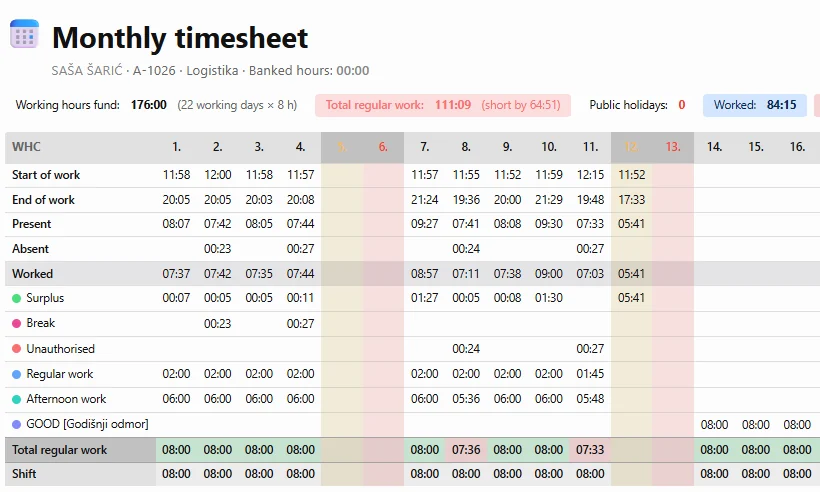
Monthly timesheet
Every hour by day and work category, the monthly quota, the checks, locking and the payroll export.
Reports
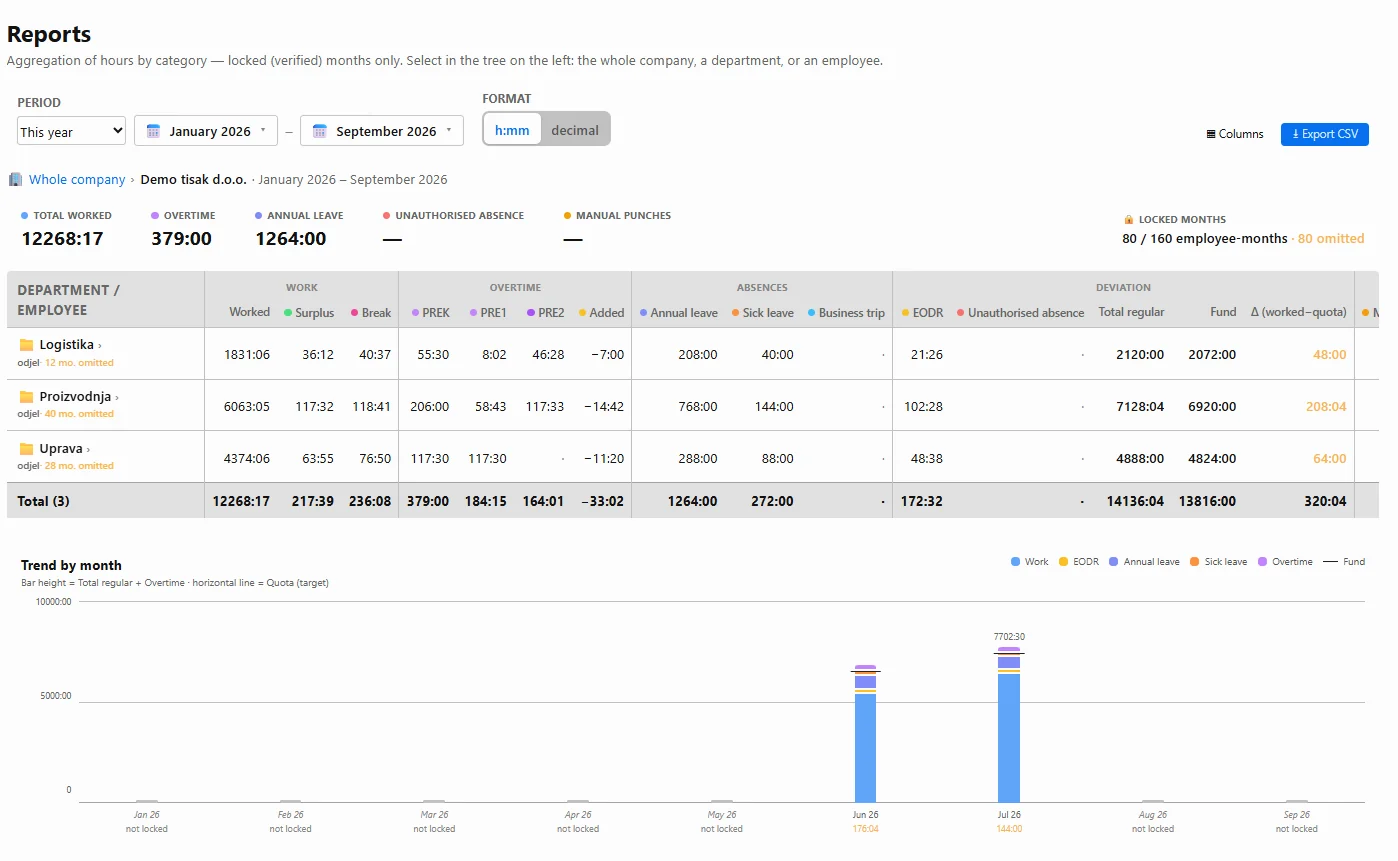
Hours by category for one employee, a department or the whole company across several months — from locked, verified data only. The monthly trend shows worked hours, overtime and the quota side by side; export to CSV.
Three shifts, 24 hours a day
First, second and third shift rotating by subgroup, seven days a week: nights that cross midnight, weekend and public-holiday work — all in the same record and the same calculation.
Work across midnight without manual fixes
Evidence understands that an evening clock-in and the next morning's clock-out belong to the same shift. Fixed, rotating and flexible schedules are supported.
The system finds them for you
A late arrival, an early departure, an overrun break, surplus hours or a missing event are separated out automatically, according to the rules and tolerances of your company.
A quick decision, no retyping
Classify surplus work as overtime, as banked hours or as another category, and match a shortfall to the right type of absence.
Verified data stays locked
Once the check is finished, the responsible person locks the month. Data used for payroll can no longer be changed by accident.
From one employee to the whole company
Analyse hours per employee, per department and per company across several months, and export verified data for further processing.
Everyone sees only what they need
Administrator, manager, timekeeper and gate viewer each have their own level of access, matched to their role and responsibility.
Separated automatically
Regular, afternoon and night work, overtime by level, and Saturday, Sunday and public-holiday work are sorted automatically according to the rules of your company.
See the difference immediately
How much an employee was due to work, how much was recorded and how much is missing — per day and per month, marked by colour, before you lock the month.
Kept together with the work
Annual leave, sick leave, paid leave, business trips and days off go into the same record, with the annual-leave and banked-hours balances.
Several days and people at once
A whole week of annual leave in one go, a shift change for several employees at the same time — without entering it day by day.
Nothing to install on workstations
The application runs in a web browser; employees clock in at the reader, while managers and administration work with the data from any computer in the company.
Demo access arrives by email.
The demo contains a fictional company, its employees, shifts and simulated reader events, but it runs the real logic of the application.
Signing in takes two steps: the browser first asks for the username and password that keep the demo closed, and then, inside the application, you sign in with the PIN of the role you want to try — we email all three after your request.
The demo has four roles — administrator, production manager, department timekeeper and gate viewer — so you can see what each level is allowed to do, from the payroll export down to a plain presence view.
“Open the demo” is for those who already have a username, password and PIN.
Want to see how Evidence would work in your company?
Every company has different shifts, different rules and a different way of calculating pay. Show us how you work today and we will show you what the same process looks like in Evidence. We adapt the application to your needs — including connecting devices of other types that keep their own event database.
Zagreb Osijek and Split is an easy trip too.